 how-to
How to Automate Policy Comparison with Bringas Insurance
Table of Contents
- Step 1: Gather Your Current Policy Details for Comparison
- Step 2: Use Insurance Comparison Tools to Compare Insurance Quotes
- Step 3: Follow an Insurance Policy Comparison Checklist
- Step 4: Get an Independent Insurance Agent Quote Comparison from Bringas
- Step 5: Review Your Automated Policy Comparison Results with a Human
- Step 6: Understand Privacy, Consent, and Data Security in Automated Comparison
- Step 7: Set Up Renewal Monitoring and Ongoing Comparisons
- Common Mistakes to Avoid When Comparing Insurance Policies Automatically
- Frequently Asked Questions
Last Updated: October 9, 2026
Step 1: Gather Your Current Policy Details for Comparison
Automated policy comparison starts with your current declarations page, which lists your coverage limits, deductibles, and premium, the baseline every quote is measured against. Without it, you are comparing guesses.
We tell clients to pull three documents before touching any comparison tool:
- The declarations page for each policy (auto, home, renters, or life)
- Your most recent premium statement showing what you actually pay
- A list of what you own: vehicles, property, and any business equipment
What Documents and Data You Need Before You Start
You need accurate numbers, not estimates. Gather:
- Vehicle details: year, make, model, VIN, and annual mileage
- Property details: address, year built, square footage, and roof age
- Driver or occupant info: names, dates of birth, and license numbers
Check that your declarations page is current. If you added a teen driver or bought a rental property last year, an old document will produce a bad comparison.
Step 2: Use Insurance Comparison Tools to Compare Insurance Quotes
Insurance comparison tools collect your details once, then pull quotes from multiple providers so you can view them side by side.
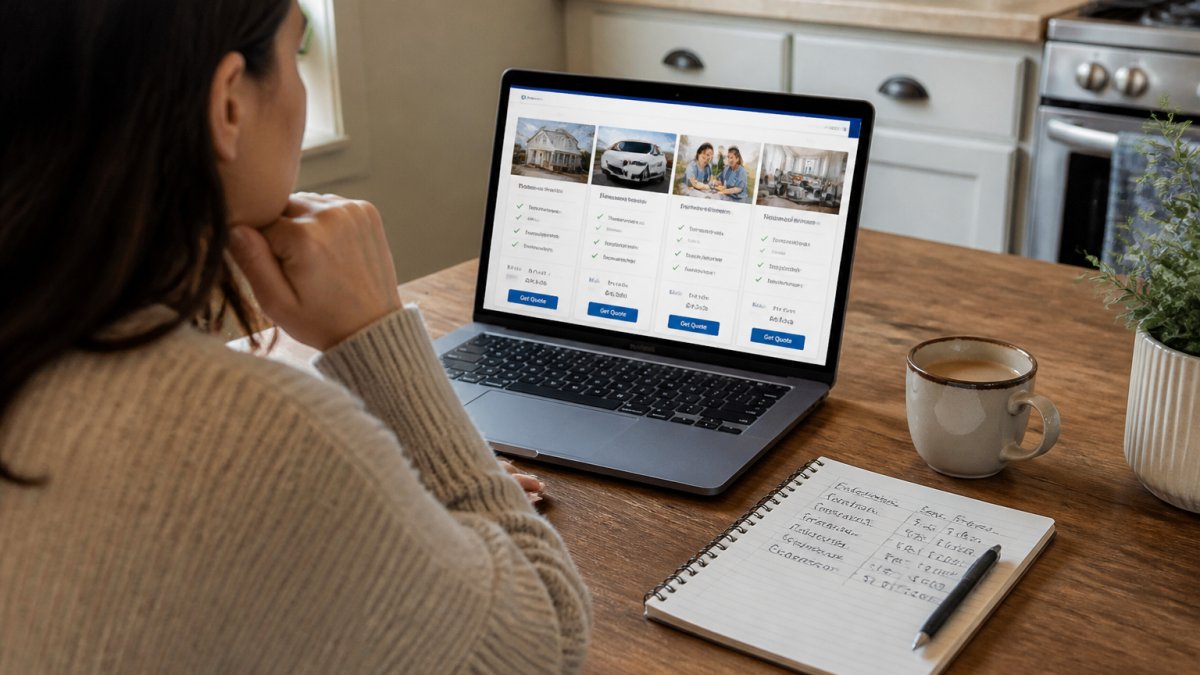
That difference matters. A tool tied to one carrier cannot show you the full market.
How Automated Comparison Tools Work with Bringas Insurance
An automated comparison tool reads your policy details, matches them against rate tables, and returns quotes reflecting similar coverage.
According to the Washington State Office of the Insurance Commissioner's consumer resources, shoppers should compare identical coverage levels before judging price.
When you work with an independent agent, they enter your details into comparative rating software and line the results up against your current policy.
| Comparison Factor | What to Check | Why It Matters |
|---|---|---|
| Coverage limits | Match liability and property limits | Lower limits hide the real cost |
| Deductible | Compare like-for-like amounts | A higher deductible lowers premium but raises your risk |
| Exclusions | Read what is not covered | Cheap policies often exclude more |
| Discounts | Ask which credits apply | Bundling and safe-driver programs change the math |
| Claims reputation | Check carrier ratings | A low price means little if claims go badly |
Step 3: Follow an Insurance Policy Comparison Checklist
Most comparison advice says "match coverage" without explaining how, leaving you with quotes that look comparable but differ on the details that decide whether a claim gets paid. The fix is a standardized worksheet: one column per policy, one row per coverage attribute, filled in the same order every time.
Build an Apples-to-Apples Comparison Worksheet
Before you look at a single premium, build the grid: each row a coverage attribute, each column a policy (your current one plus every quote). Fill every cell, a blank cell is a red flag, not a neutral result.
| Attribute | Your Current Policy | Quote A | Quote B |
|---|---|---|---|
| Bodily injury liability (per person / per accident) | |||
| Property damage liability | |||
| Uninsured/underinsured motorist | |||
| Medical payments or personal injury protection | |||
| Comprehensive deductible | |||
| Collision deductible | |||
| Rental reimbursement (daily / max) | |||
| Towing and labor | |||
| Named exclusions | |||
| Endorsements (riders) included | |||
| Annual premium | |||
| Estimated out-of-pocket at a sample claim |
That last row is the one most shoppers skip. Take one realistic scenario, a $3,000 fender bender or a $15,000 kitchen fire, and walk it through each column.
Match Limits Before You Match Price
Liability limits are the most common place a "cheaper" quote is actually a smaller policy. If your current policy carries 100/300/100 and a quote comes back at 50/100/50, that is not a comparison, it is a downgrade.
The same rule applies to deductibles. A $1,000 deductible quote is not comparable to your $500 deductible policy until you adjust the quote to $500 or set aside the extra $500 you would owe at claim time.
Read Exclusions and Endorsements Line by Line
Exclusions are where cheap policies hide their savings. Common ones to look for:
- Water damage or flood (often excluded from standard homeowners policies)
- Mold remediation caps
- Business equipment used at home
Endorsements work the other way: a policy with rental reimbursement, roadside assistance, or a replacement-cost endorsement is worth more than one without, even at a higher premium. List every endorsement in its own row so you can see what you are buying.
Score Each Policy Before You Decide
Once the grid is full, score each column on three axes: coverage match (does it meet or exceed your current limits?), total annual cost (premium plus fees), and claim-time exposure (your out-of-pocket cost in the sample scenario). A policy that wins on price but loses on the other two is not the winner.
Step 4: Get an Independent Insurance Agent Quote Comparison from Bringas
Most online tools handle one line of coverage at a time. An agent can look at your whole picture and spot bundling options a single-quote form will never show.
Bringas Insurance offers free quotes for auto, home, life, and business coverage. You talk to a real person, in English or Spanish, and you get a side-by-side view of your options.
Step 5: Review Your Automated Policy Comparison Results with a Human
Automated results are a starting point, not a verdict. A human review catches what software misses: a coverage gap specific to your situation, an unclaimed discount, or a carrier that handles claims poorly in your area.
Ask your agent three questions about every quote:
- What does this policy cover that my current one does not?
- What does my current policy cover that this one drops?
- What is the total annual cost, including any fees?
The lowest premium is not always the lowest total cost. If a cheaper policy forces you to pay more out of pocket after a claim, you have not saved anything.
Step 6: Understand Privacy, Consent, and Data Security in Automated Comparison
Automated comparison only works if you hand over personal data: address, driver's license number, VINs, property details, and sometimes your Social Security number. Before you type any of that into a tool or send it to an agent, understand where it goes and who can see it.
What Data Automation Actually Needs, and What It Does Not
A comparative rating tool needs enough information to identify you and price risk accurately:
- Identity and contact: name, date of birth, address, email, phone
- Driving record: license number and state, years licensed, violations and claims history
- Vehicle or property: VIN, year/make/model, annual mileage, or address, year built, square footage, roof age
What it does not need to generate a quote: your full Social Security number, bank account or card number, or medical records. Those come into play only when you bind a policy or apply for certain life or health products. If a tool asks up front, slow down.
How Consent Works in a Multi-Carrier Quote
When you submit your details to a comparison tool or independent agency, you typically authorize that business to share your information with the carriers it works with so they can return a rate. That authorization is the consent, read it before you click.
Three things to check in any consent language:
- Who receives the data. Just the quoting carriers, or also marketing partners and lead buyers?
- How long it is kept. Some tools retain quote data for years; others purge after a set window.
- How to withdraw. You should be able to ask that your data stop being shared and, in many states, request deletion.
Federal law gives you rights here. The Federal Trade Commission's guidance on privacy and data security explains how companies must protect consumer data and what they can do with it. State insurance regulators add their own rules on how licensed agents and carriers handle nonpublic personal information, and the National Association of Insurance Commissioners' consumer resources publishes consumer-facing material on those protections.
Practical Safeguards Before You Share Anything
- Use tools and agencies that publish a plain-language privacy policy and name the carriers they work with
- Avoid entering your Social Security number unless it is required to bind a policy
- Ask your agent how your data is stored, who inside the agency can see it, and whether it is ever sold
What Automation Cannot Do
Automation is good at matching inputs to rate tables, but not at judging whether a carrier's claims process fits your situation, whether an exclusion matters for your household, or whether a discount was missed.
A licensed agency handles your information the way it should: it goes to the carriers being quoted, it stays with them for that purpose, and it is not sold to unrelated third parties.
Step 7: Set Up Renewal Monitoring and Ongoing Comparisons
Your policy should not be set-and-forget. Rates change, discounts appear, and life changes, a new teen driver, a paid-off car, or a new roof all shift what you should be paying.
Set a reminder 45 to 60 days before each renewal. At that point:
- Re-run your comparison with updated details
- Ask whether new discounts apply
- Check whether your coverage still matches your needs
This is where an ongoing relationship with an agent pays off. An agent can flag renewal changes and re-shop your policy before the deadline, so you are never caught off guard by a jump in premium.
Common Mistakes to Avoid When Comparing Insurance Policies Automatically
The biggest mistake is comparing price without comparing coverage. A quote that saves you money by cutting liability limits or dropping comprehensive coverage is not a real saving. It is a smaller policy.
Other mistakes we see often:
- Using an old declarations page with outdated limits
- Entering estimated mileage or property values instead of real numbers
- Ignoring exclusions until claim time
A carrier's financial strength rating tells you whether it can pay claims. The National Association of Insurance Commissioners' consumer resources offers tools to look up a carrier's complaint history and confirm it is licensed in your state.
Automated policy comparison saves time, but it does not replace judgment. Use the tools to narrow the field, then use a human to make the final call.
Frequently Asked Questions
How can I compare insurance policies automatically?
You can automate policy comparison by gathering your current declarations pages for auto, home, and other policies, then using an insurance comparison tool or working with an independent agent like Bringas Insurance who can run side-by-side comparisons. Automated tools pull coverage limits, deductibles, and exclusions into a single view so you can evaluate differences without manually reading every page. Bringas Insurance offers free quotes.
What details do I need to compare insurance policies?
To run an apples-to-apples comparison, you need your current policy declarations page, which shows coverage levels, deductibles, premium, and policy term. For auto insurance, have your vehicle identification number, driver details, and annual mileage. For home insurance, gather your property address, square footage, year built, and replacement cost estimate. Bringas Insurance can use these details to generate accurate comparisons across multiple providers.
Can an independent insurance agent compare policies from multiple companies?
Yes. Independent agents like Bringas Insurance work with multiple insurers and and can run comparative ratings across carriers in one session. This means you get a side-by-side comparison of coverage options, premiums, and deductibles without contacting each company yourself. Bringas Insurance provides professional guidance to help you find the right policy for your unique needs.
How do I compare insurance quotes with the same coverage?
Start by listing your current coverage limits, deductibles, and any endorsements. Then ask each provider or your agent to quote those exact same limits. If a quote looks cheaper, check whether it reduced coverage or added a higher deductible before you switch.
Comparing policies on your own is time-consuming, and one missed detail can cost you at claim time. Bringas Insurance takes that work off your plate with free quotes for auto, home, life, and business coverage, side-by-side comparisons built on your real policy details, and bilingual guidance from a local team. Get a free quote from Bringas Insurance and see exactly how your options stack up before your next renewal.